Protect Your Privacy. Secure Your Finances. Explore the Future of Cybersecurity.

Identity Protection 101: How to Safeguard Your Personal Information Online
Marty Olo
10/26/2025

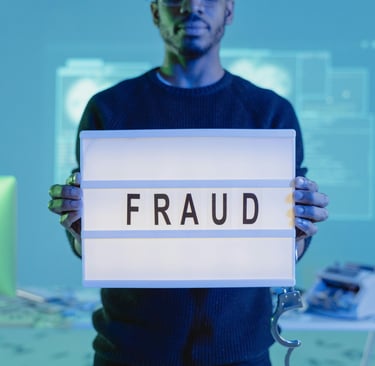
Your personal information is one of your most valuable assets — and in today’s digital world, it’s constantly at risk. From phishing emails to social media scams, cybercriminals are always finding new ways to steal identities and exploit data.
This guide covers identity protection fundamentals, helping beginners understand threats, prevention strategies, and the tools needed to stay secure online.
1. What Is Identity Theft?
Identity theft occurs when someone uses your personal details — like your name, Social Security number, or credit-card information — without consent to commit fraud.
Common forms include:
Financial identity theft: using your bank or credit-card information.
Medical identity theft: stealing insurance or patient data.
Social identity theft: impersonating you on social media.
2. How Identity Theft Happens
Cybercriminals use many tactics to collect personal data:
Phishing scams: fake emails or messages tricking you into sharing passwords.
Data breaches: large-scale hacks targeting companies.
Public Wi-Fi interception: unsecured networks that allow hackers to eavesdrop.
Social-media oversharing: revealing too much personal information.
3. Warning Signs of Identity Theft
Be alert for:
Unfamiliar bank or credit charges
Password reset notifications you didn’t request
Denied credit applications
Suspicious emails claiming to be from your bank
4. Passwords & Multi-Factor Authentication (MFA)
Your password is your first line of defense:
Use unique passwords for each account
Combine uppercase, lowercase, numbers, and symbols
Use a password manager (1Password, Bitwarden)
Enable MFA for an extra verification step
5. Stay Smart With Email and Phishing Awareness
Protect yourself by:
Checking sender email addresses carefully
Hovering over links before clicking
Avoiding unknown attachments
Verifying directly with organizations before responding
6. Protect Devices & Connections
Keep software and antivirus up to date
Use firewalls and automatic updates
Avoid public Wi-Fi or use a VPN
Lock devices with PINs or biometrics
7. Monitor Your Digital Footprint
Search your name online to see what’s public
Use privacy settings on social media
Consider identity-monitoring services like LifeLock, Aura, or IdentityForce
8. Responding to Identity Theft
If compromised:
Change passwords immediately
Contact banks and credit-card companies
Freeze credit reports (Equifax, Experian, TransUnion)
Report to IdentityTheft.gov
Conclusion
Protecting your identity starts with awareness and proactive steps. Strong passwords, MFA, device security, and monitoring habits are your best defense. Your privacy is your power—protect it wisely.
Secure Secure, Stay Informed
Your source for online privacy and protection.
Copyright © 2025. - PrivyShield - All rights reserved.